Whiteboards Get Erased. Lessons Shouldn't.
Your crew's experience is your department's greatest asset. PID helps you capture it, share it, and build on it.
One Platform to Debrief, Document, and Improve
Built by firefighters, for firefighters. Replace paper forms and broken spreadsheets with a collaborative workspace built for how firehouses actually work.
No Installs
100% web-based. Works on any browser, any device.
Shift-Ready
Fast and intuitive. No training manuals needed.
Multi-Station
One platform for your entire department.
Export Ready
One-click PDF reports for training and compliance.
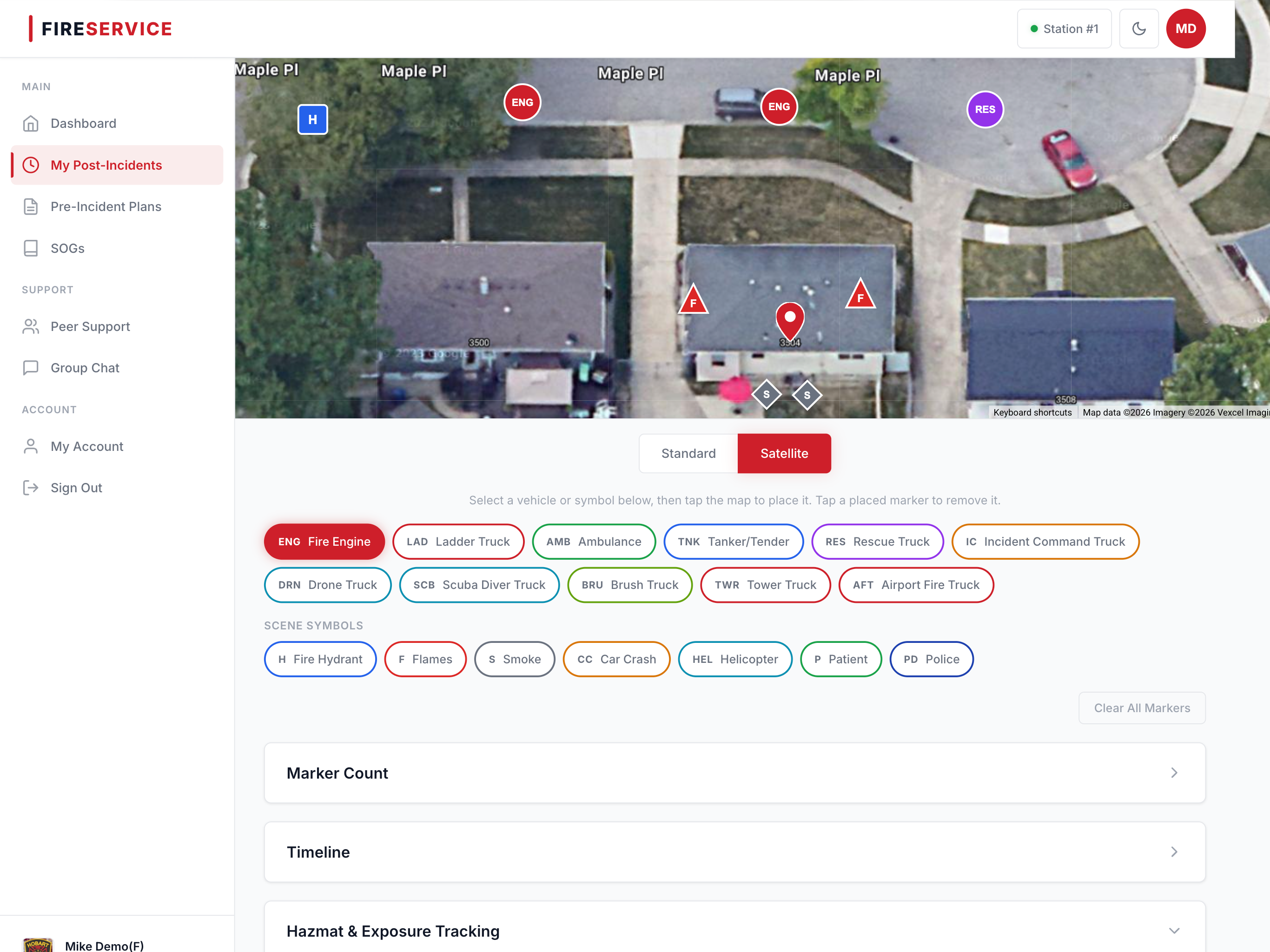
Drop apparatus, hydrants, and scene symbols directly onto a satellite or road view of the incident address. Every marker saves with GPS coordinates, creating a permanent visual record of how the scene was set up.
- Drag-and-drop vehicle icons (engine, ladder, ambulance, tanker, rescue)
- Fire hydrant, smoke, flame, and car crash symbols
- Standard road view and satellite view toggle
- All positions saved with latitude/longitude coordinates
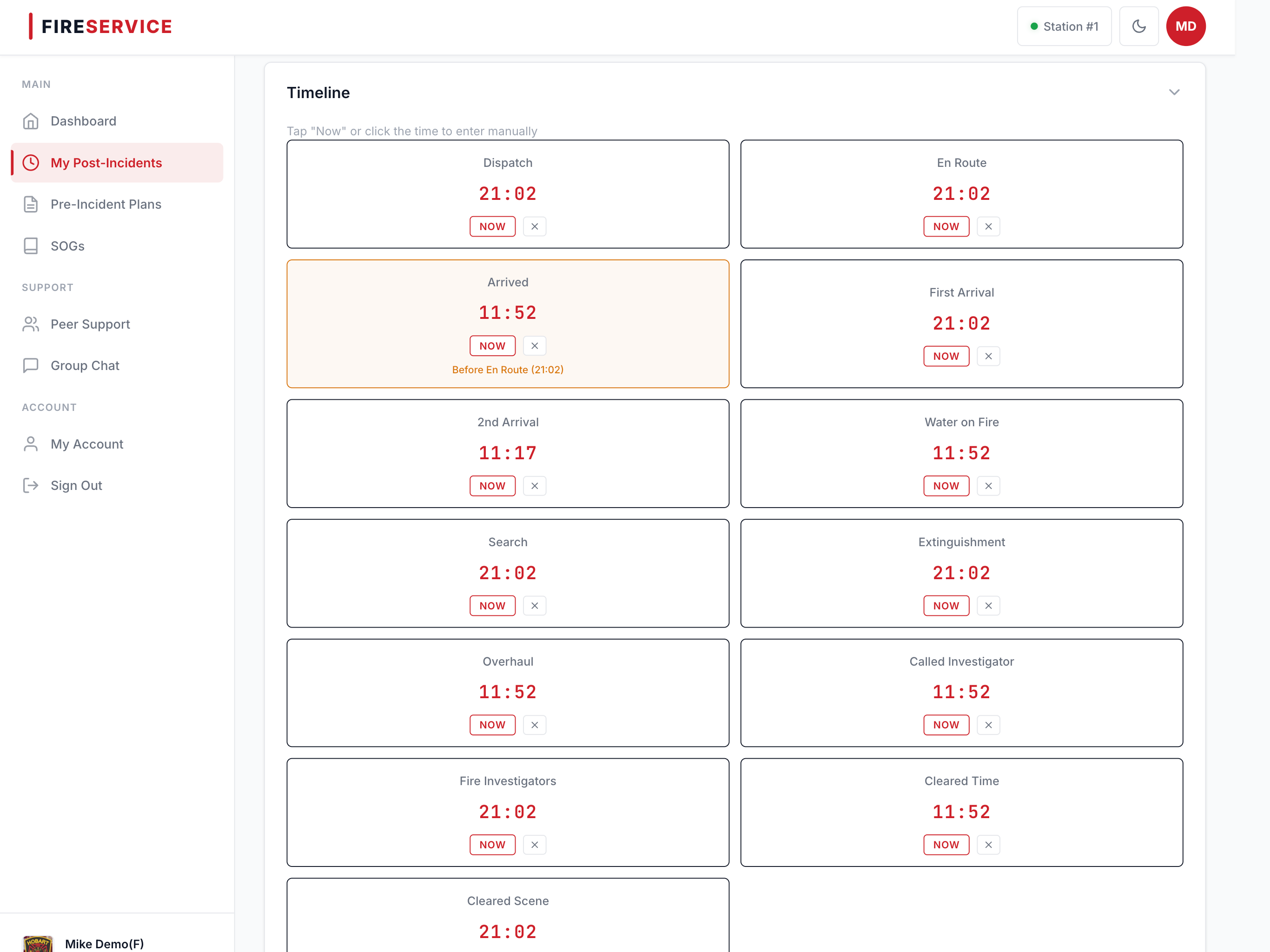
Record eight critical timestamps from first arrival through clearing the scene. Tap to capture the time in real-time, or enter it manually after the fact. The full chronological picture, in one place.
- First Arrival, 2nd Arrival, Water on Fire, Search
- Extinguishment, Overhaul, Fire Investigators, Cleared Scene
- Tap-to-timestamp for real-time recording
- Manual entry for post-incident documentation
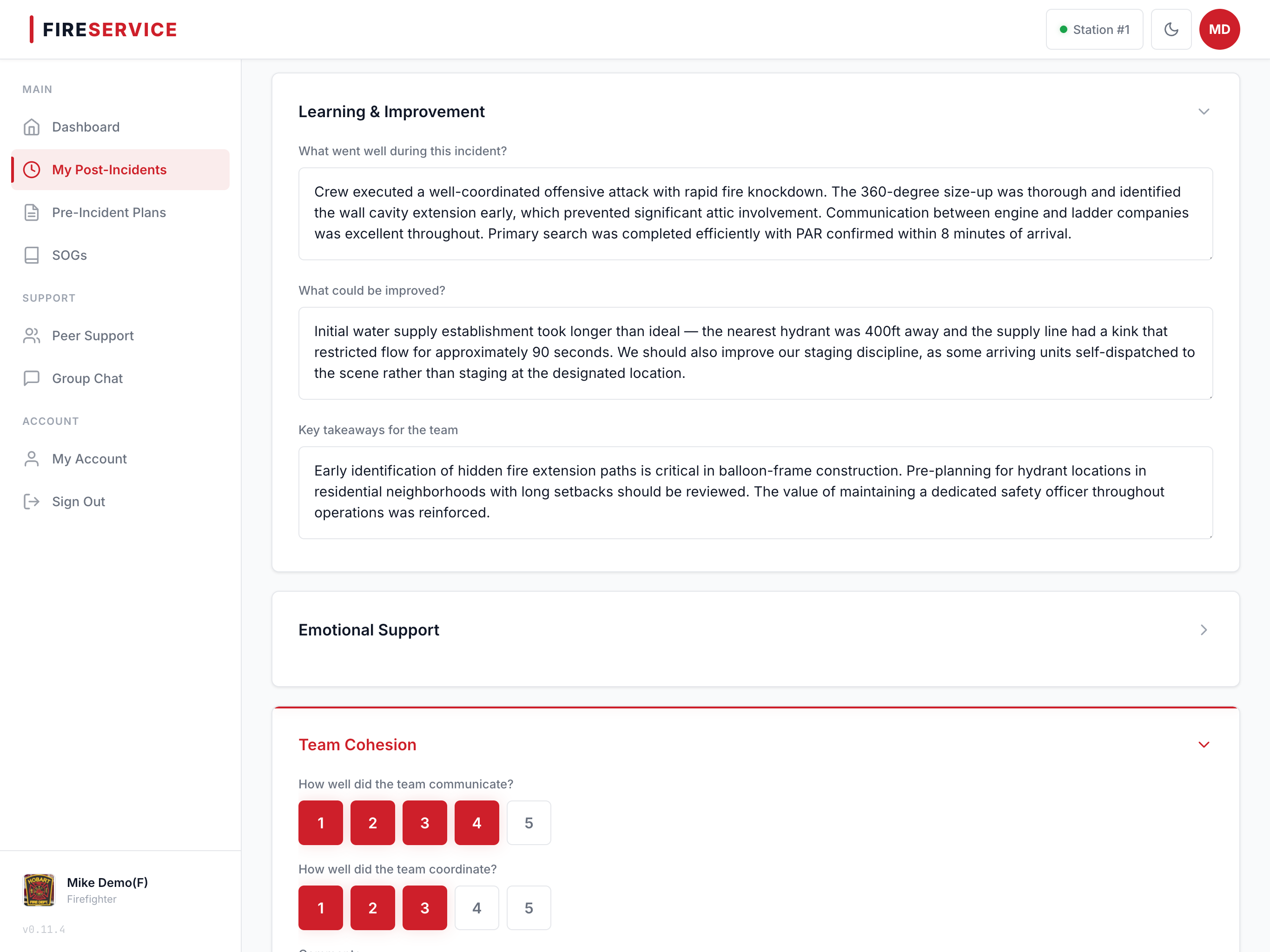
A guided five-section review that covers everything from tactical lessons to emotional well-being. Built around how fire departments actually debrief, not how a conference room imagines it.
- Learning & Improvement: what went well, what to change
- Emotional Support: space to process the call
- Team Cohesion: communication and coordination review
- Accountability & Policy: decisions, compliance, SOG updates
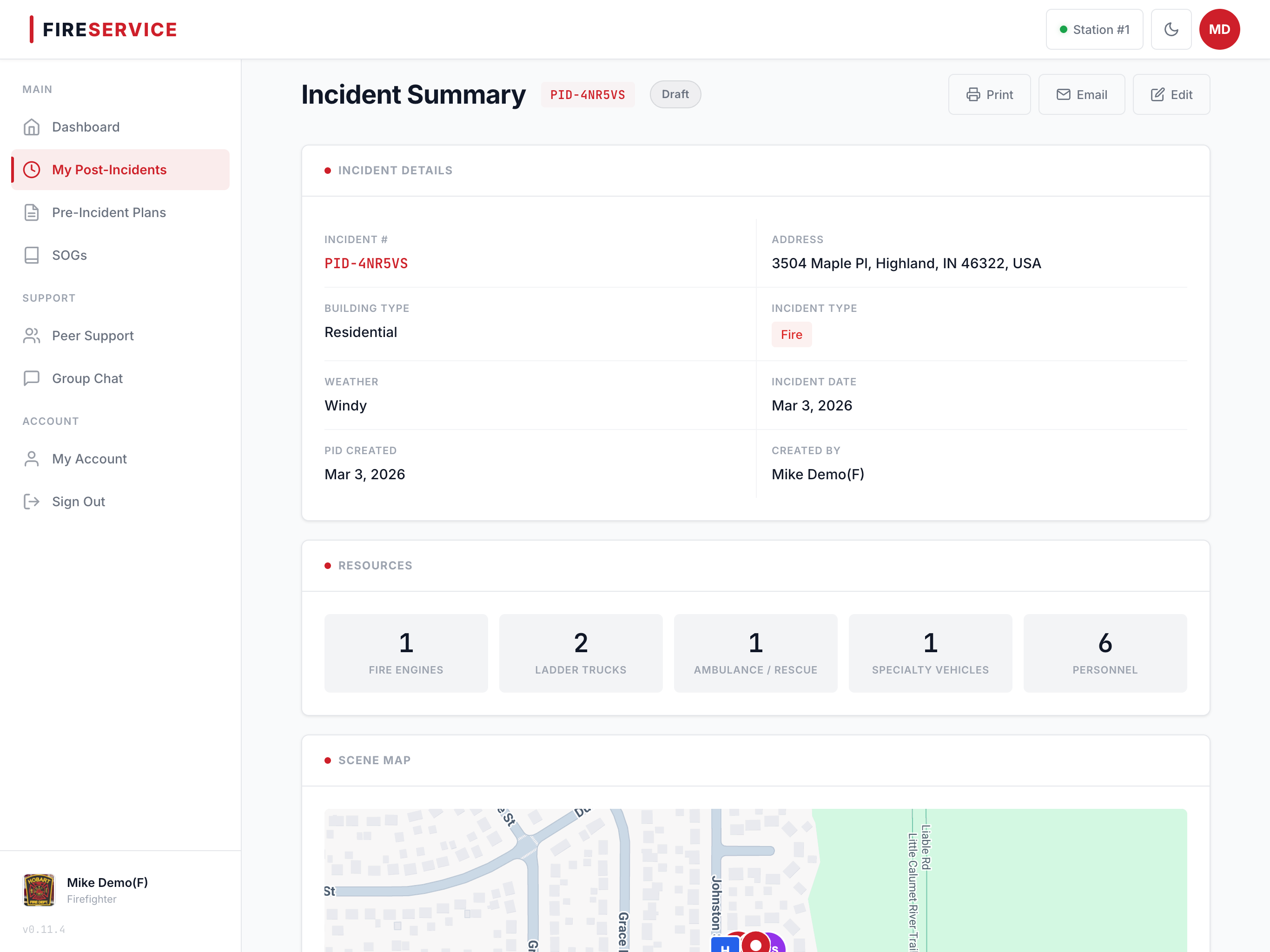
Generate print-ready incident reports with all the details: scene map, timeline, debriefing notes, personnel, and hazmat data. Perfect for training reviews, compliance records, or sharing with command staff.
- One-click PDF export of complete incident packets
- Email reports directly to command staff or training officers
- Personnel incident history for individual firefighters
- Exposure history reports for cancer presumption claims
PID reads incident data from NERIS — the new federal reporting system replacing NFIRS in 2026. Link a NERIS incident to your debrief and your crew sees the official record side-by-side: timestamps, units, dispatch, narratives, hazmat, medical. No syncing, no copying — your RMS still owns the federal submission.
- Link Pick the matching incident from a searchable list of recent NERIS records when you start the debrief.
- Reference A dedicated view shows the live NERIS record at review time, with copy buttons to pull facts into your notes.
- Read-Only PID complements your RMS — it doesn't replace it. The federal submission stays where it always was.
Everything Your Department Needs
PID handles the full lifecycle, from incident creation through long-term record keeping.
Incident Form
Address with Google autocomplete, building type, incident type, weather conditions, and resource counts, all in one structured form.
Incident History
Searchable, filterable dashboard of all past incidents with admin-level analytics, charts, and trend data.
Hazmat Documentation
Track chemicals, quantities, and exposure types per incident. Structured data for long-term exposure reporting.
Personnel Roster
Track which firefighters were on-scene at each incident. Enables per-firefighter history and exposure records.
Multi-Station Support
Manage multiple fire stations under one department with per-station branding and personnel assignment.
User Management
Role-based access for admins and firefighters. Invite by email, approve registrations, manage account status.
SOG Library
Upload and manage Standard Operating Guidelines. PDF and Word support. Link SOGs directly to incidents for reference.
Pre-Incident Plans
Building-specific fire planning documents. Upload PDFs, auto-extract address data, searchable by address or building name.
Exposure History
Per-firefighter hazmat exposure records across all incidents. Critical for cancer presumption claims and workers' comp documentation.
Personnel History
Complete record of every call a firefighter attended with incident details, dates, and roles.
Media Attachments
Upload photos, videos, and radio traffic recordings. In-app playback for audio. All files tied to their incident record.
Tough calls don't end when you clear the scene. Most firefighters never ask for help, because there's no private way to do it. PID changes that.
The Peer Support module gives your crew a private, anonymous way to reach out after a tough call. No paperwork. No stigma. No one in leadership ever sees who used it.
A firefighter selects their urgency level, picks from your department's support contacts (counselors, chaplains, peer support team members), and the request goes out immediately. The firefighter's identity is protected. Only the support contacts they chose can respond.
For critical incidents, admins can activate the full peer support team for a group debrief, with RSVP tracking, meeting scheduling, and follow-up coordination built in.
Firefighters reach out without their name being visible to leadership or crew. Only their chosen support contacts know.
Need to talk, need support soon, or urgent/critical, so contacts understand the situation before responding.
Admins activate the full support team for critical incidents. RSVP tracking, meeting scheduling, and follow-up in one place.
In-app threads for coordinating around incidents. Email digests keep everyone in the loop, even offline.
Admins maintain the support roster: counselors, chaplains, CISD team. Contacts are notified via email, not through the app.
Three Steps. That's It.
Create the Incident
Enter the address, building type, resources, and weather. PID auto-generates a unique incident number and sets up the workspace.
Debrief with Your Crew
Plot the scene on the map, record timestamps, run through the structured debrief, and capture notes while the details are fresh.
Export & Share
Generate a professional PDF report and send it to command staff, training officers, or keep it for compliance records.
Our founder is an active firefighter with 18+ years on the job, and a software engineer who got tired of watching departments struggle with tools that were never designed for them.
Every feature gets tested against real shift conditions. If it's not fast, intuitive, and built for how firehouses actually work, it doesn't ship.
Common Questions
Yes. PID is 100% web-based and works on any modern browser: desktop, tablet, or phone. It's optimized for computers and tablets, which is how most departments run debriefs.
No. PID runs entirely in the browser. No downloads, no desktop installs, no IT department needed. Just log in and go.
Absolutely. One department subscription covers all your stations. Each station can have its own branding, personnel assignments, and incident records.
PID is hosted on Microsoft Azure with encrypted connections, role-based access control, and full audit logging. Your data is isolated to your department. No one else can access it.
Most departments are up and running within a day. Create your department, add your stations, invite your crew, and you're ready to debrief your next call.
PID uses soft-delete for all records. Nothing is permanently destroyed. Full audit trails track every change. Your data is preserved for public records requests.
Ready to See It
in Action?
See how Fire Dog can replace your paper-based processes with tools your crews will actually want to use.